ClickCease, CHEQ and Lunio show up on almost every shortlist of PPC click fraud tools, and they are usually compared as three rivals. They are not. CHEQ bought ClickCease in 2020 (CHEQ), and its former self-serve product, CHEQ Essentials, now redirects to a page that reads “CHEQ Essentials is now ClickCease” (essentials.cheq.ai). So the real choice is between one company’s self-serve tool, the same company’s enterprise suite, and an independent vendor built for large ad budgets.
We read all three vendors’ product, pricing and integration pages on November 3, 2026, checked Google’s own rules on invalid clicks and IP exclusions, and pulled ratings from G2. Here is how they compare on price, ad platform coverage and how they detect and block bad clicks.
TLDR
Short answer: Pick ClickCease if you spend less than about $500,000 a year on Google, Meta or Microsoft Ads and want published pricing from $99 a month with a free trial. Pick CHEQ if you are an enterprise brand that needs bot protection across 15 ad platforms plus forms, analytics and site traffic. Pick Lunio if you spend $500,000 or more a year across search and social and want an independent vendor with a free 14-day traffic audit.
- Same owner: CHEQ has owned ClickCease since September 2020. CHEQ Essentials has been folded back into ClickCease.
- Only published price: ClickCease, at $99, $149 and $349 a month, or $84, $127 and $297 a month billed yearly. CHEQ and Lunio are quote only.
- Lunio minimum: its pricing form starts at $500k in annual ad spend.
- Widest ad coverage: CHEQ lists 15 paid ad platforms on its integrations page. ClickCease covers Google, Meta and Microsoft.
- Before you buy any of them: Google already filters invalid clicks and credits you when it finds them later.
In this guide
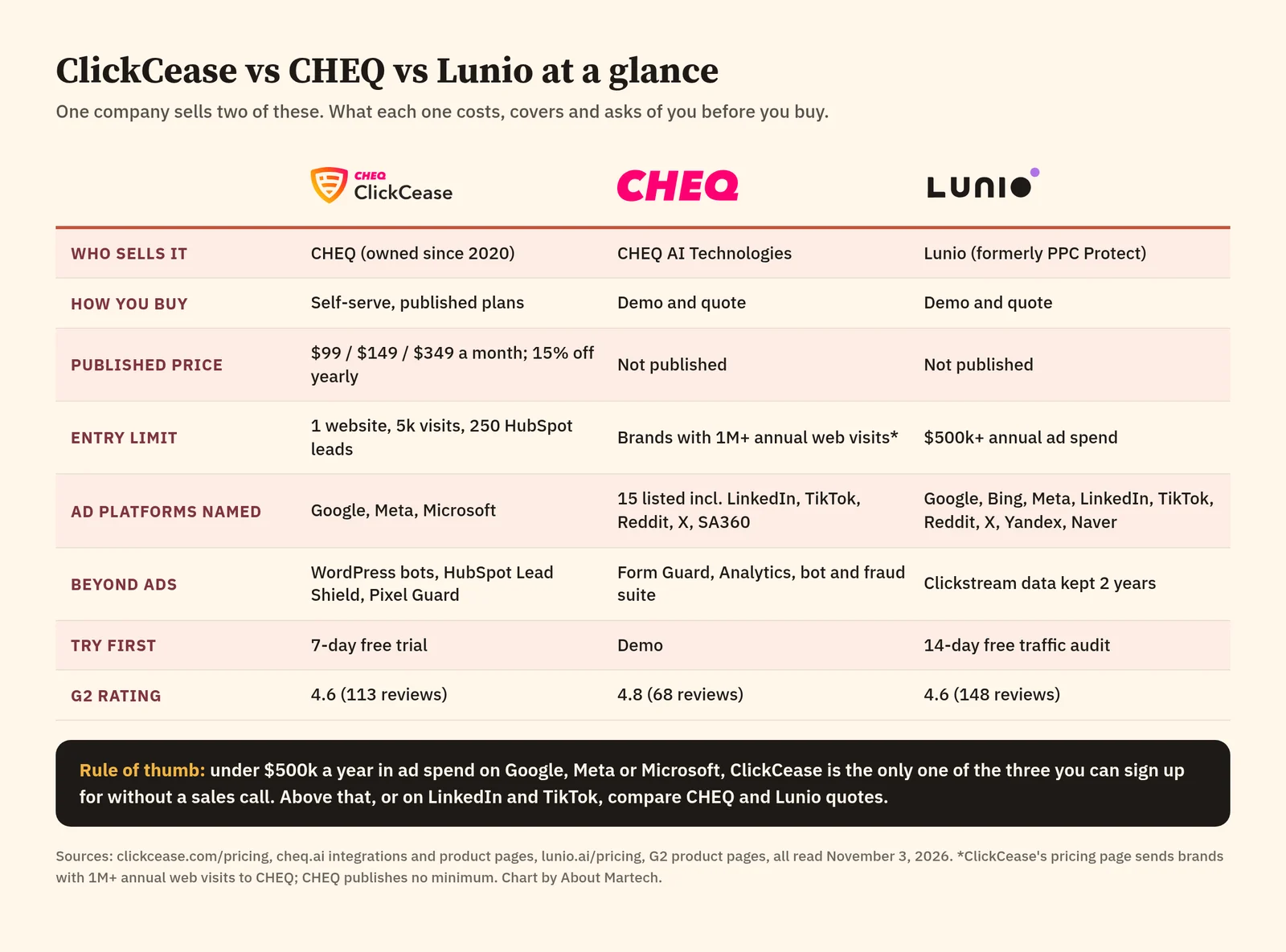
ClickCease vs CHEQ vs Lunio at a glance
| ClickCease | CHEQ | Lunio | |
|---|---|---|---|
| Owner | CHEQ AI Technologies | CHEQ AI Technologies | Lunio (formerly PPC Protect) |
| Built for | SMBs, agencies, self-serve advertisers | Enterprise marketing and security teams | Advertisers with large search and social budgets |
| Pricing | Published: $99 to $349 a month | Quote only | Quote only |
| Entry point | 1 website, 5k monthly traffic | Not published | $500k+ annual ad spend |
| Ad platforms named | Google, Meta, Microsoft | 15 on its integrations page | 9 named “and many more” |
| Try first | 7-day free trial | Demo | 14-day free traffic audit |
| G2 rating | 4.6 (113 reviews) | 4.8 (68 reviews) | 4.6 (148 reviews) |
Prices are list prices in US dollars, read on ClickCease’s pricing page on November 3, 2026. Ratings from G2 and the G2 CHEQ vs Lunio comparison on the same day. For the wider market, including ClickGuard, TrafficGuard and Fraud Blocker, see our guide to click fraud protection software.
How ClickCease and CHEQ are related
CHEQ announced it had acquired ClickCease on September 23, 2020 (CHEQ blog). For a while CHEQ sold its own self-serve tier, CHEQ Essentials, alongside ClickCease. That split is gone. The Essentials site now shows “CHEQ Essentials is now ClickCease”, with ClickCease’s trial button and plans (essentials.cheq.ai).
ClickCease’s own pricing page draws the line between the two products: “Looking for Enterprise protection? … CHEQ for brands with 1M+ annual web visits” (ClickCease pricing). In practice that means ClickCease is the entry product and CHEQ is the upsell, run by the same company.
This matters for anyone comparing them. Several pages that rank for “ClickCease vs CHEQ” still treat CHEQ Essentials as a separate $149 product with its own price list. If you see that, the page is out of date.
ClickCease: self-serve protection for Google, Meta and Microsoft Ads
| Best for | Small and mid-size advertisers and agencies on Google, Meta and Microsoft Ads |
| Entry price | $99 a month (Starter), or $84 a month billed yearly |
| Ad platforms | Google, Meta and Microsoft |
| Trial | 7 days free |
| G2 rating | 4.6 out of 5 from 113 reviews |
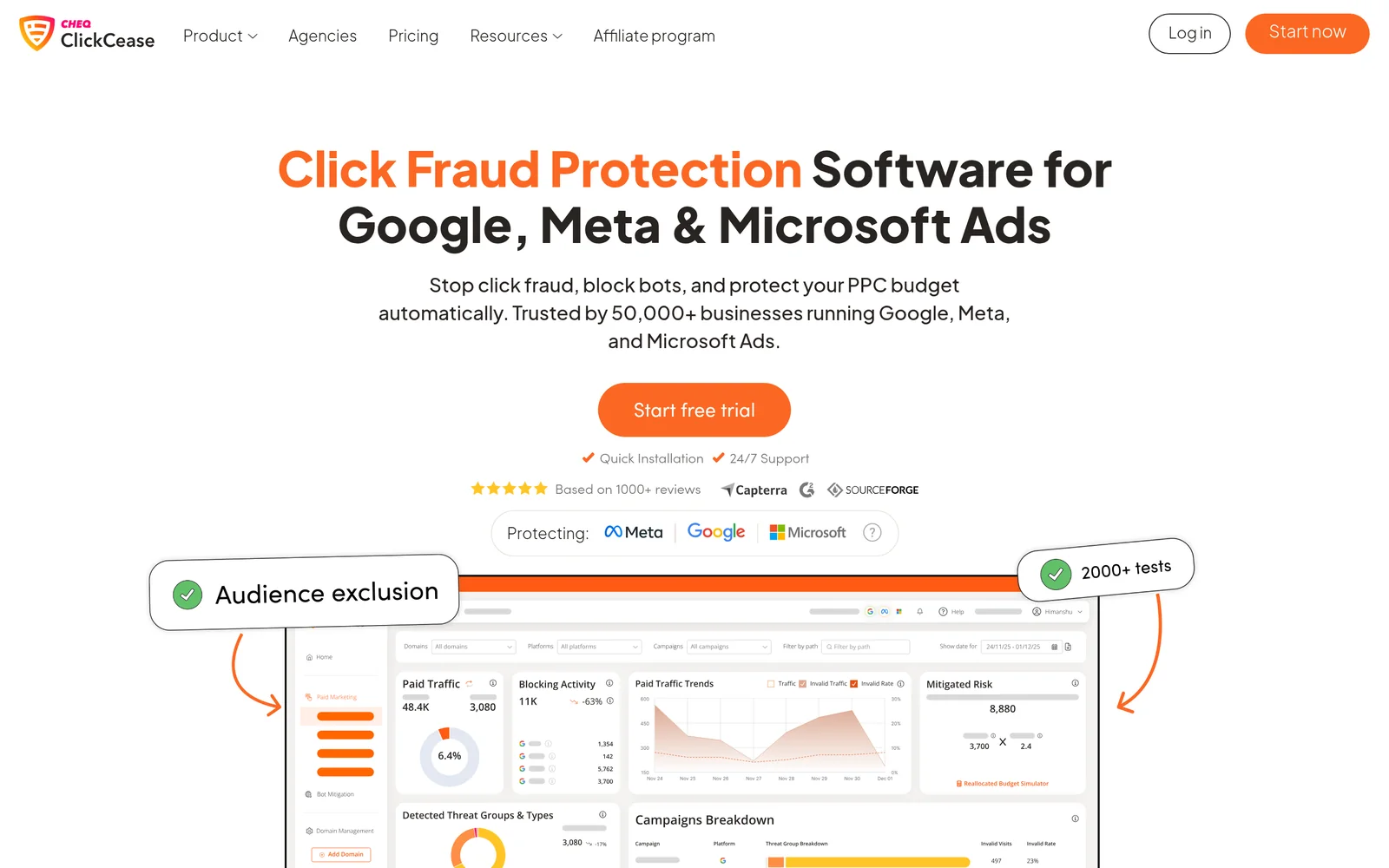
ClickCease says it is “trusted by 50,000+ businesses running Google, Meta, and Microsoft Ads” and that more than 2,000,000 campaigns are protected by it (ClickCease). It puts a tracking script on your site, scores each paid click against what it calls “2,000 real time cybersecurity challenges including IP behavior, click velocity, and session behavior”, and adds fraudulent sources to your exclusion lists automatically.
Every plan includes ad protection for Google, Meta and Microsoft, bot protection for WordPress sites, Lead Shield for HubSpot forms, Google Consent Mode compatibility and a Pixel Guard connector, plus unlimited Google Ads accounts and 24/7 support. Pro and Advanced add agency permissions and white-label reporting (ClickCease pricing). Agencies also get a partner programme with 25%, 30% or 35% discounts (ClickCease for agencies).
Where it wins: it is the only one of the three you can buy without talking to sales, and it has the lowest entry price. For a business running mostly Google Ads, it covers the platform where IP-based blocking is best supported.
Where it falls short: only three ad platforms. If LinkedIn, TikTok or Reddit take a real share of your budget, ClickCease does not cover them. Plans are also capped by monthly traffic, so a busy site moves up a tier quickly.
CHEQ: an enterprise go-to-market security suite
| Best for | Enterprise brands that want bot and fraud protection across ads, forms, analytics and the website |
| Entry price | Quote only (no public pricing page) |
| Ad platforms | 15 listed, including Google, Meta, Microsoft, LinkedIn, TikTok, Reddit, X and SA360 |
| Trial | Demo |
| G2 rating | 4.8 out of 5 from 68 reviews |
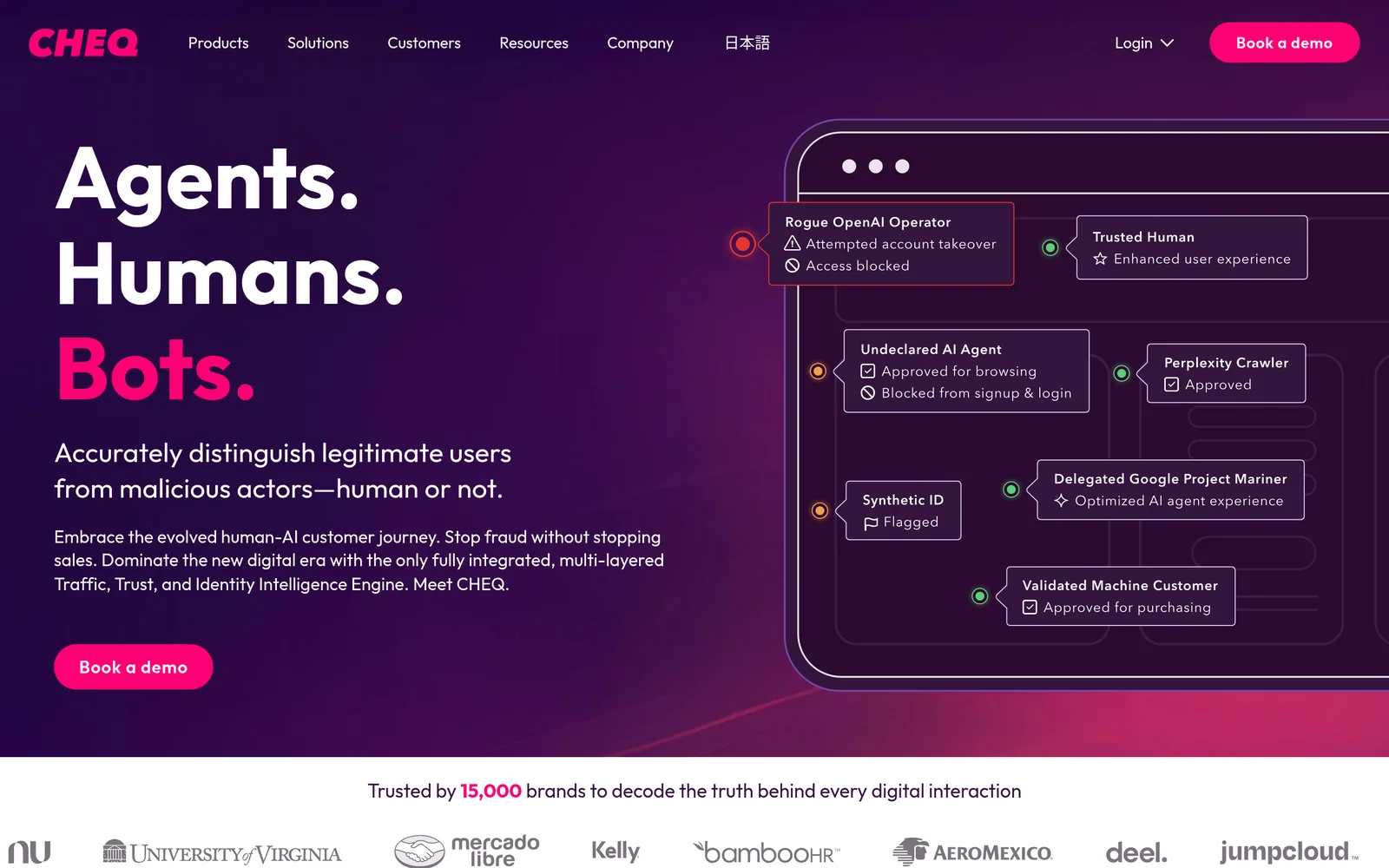
CHEQ sells click fraud protection as one module, CHEQ Acquisition, inside a wider suite that also covers form protection (Form Guard), clean analytics, tag management and bot policy enforcement. CHEQ says Acquisition removes bots and invalid traffic “across 15+ platforms” (CHEQ Acquisition). Its integrations page lists Google Ads, Meta, Microsoft, LinkedIn, SA360, X, YouTube, Pinterest, Yahoo, Snapchat, Reddit, Criteo, Baidu, Outbrain and TikTok, plus Salesforce, Marketo and HubSpot for forms and Google Tag Manager, Tealium and Adobe Launch for deployment (CHEQ integrations).
On its click fraud page CHEQ claims 99.2% accuracy, a response time under 10 milliseconds, 700 enterprise customers and SOC 2 Type II certification, and deploys through “a lightweight site-wide tag” (CHEQ click fraud protection). Its homepage says it is trusted by 15,000 brands, processes 6 trillion signals a day and has a false positive rate of 0.009% (CHEQ). CHEQ also says it was recognised in The Forrester Wave for Bot and Agent Trust Management Software, Q2 2026.
Where it wins: breadth. No other tool here covers as many ad platforms, and none protects forms, analytics and audiences under the same contract. If your security and marketing teams both need bot data, CHEQ is built for that.
Where it falls short: no public price, and you buy through sales. G2 reviewers report about one month to implement it. For a team that only wants to stop wasted Google Ads clicks, it is more platform than you need.
Lunio: independent protection for big search and social budgets
| Best for | Advertisers spending $500,000 or more a year across search, social and Performance Max |
| Entry price | Quote only; pricing form starts at $500k annual ad spend |
| Ad platforms | Google, Bing, X, LinkedIn, Meta, Reddit, TikTok, Yandex and Naver “and many more” |
| Trial | Free 14-day traffic audit |
| G2 rating | 4.6 out of 5 from 148 reviews |
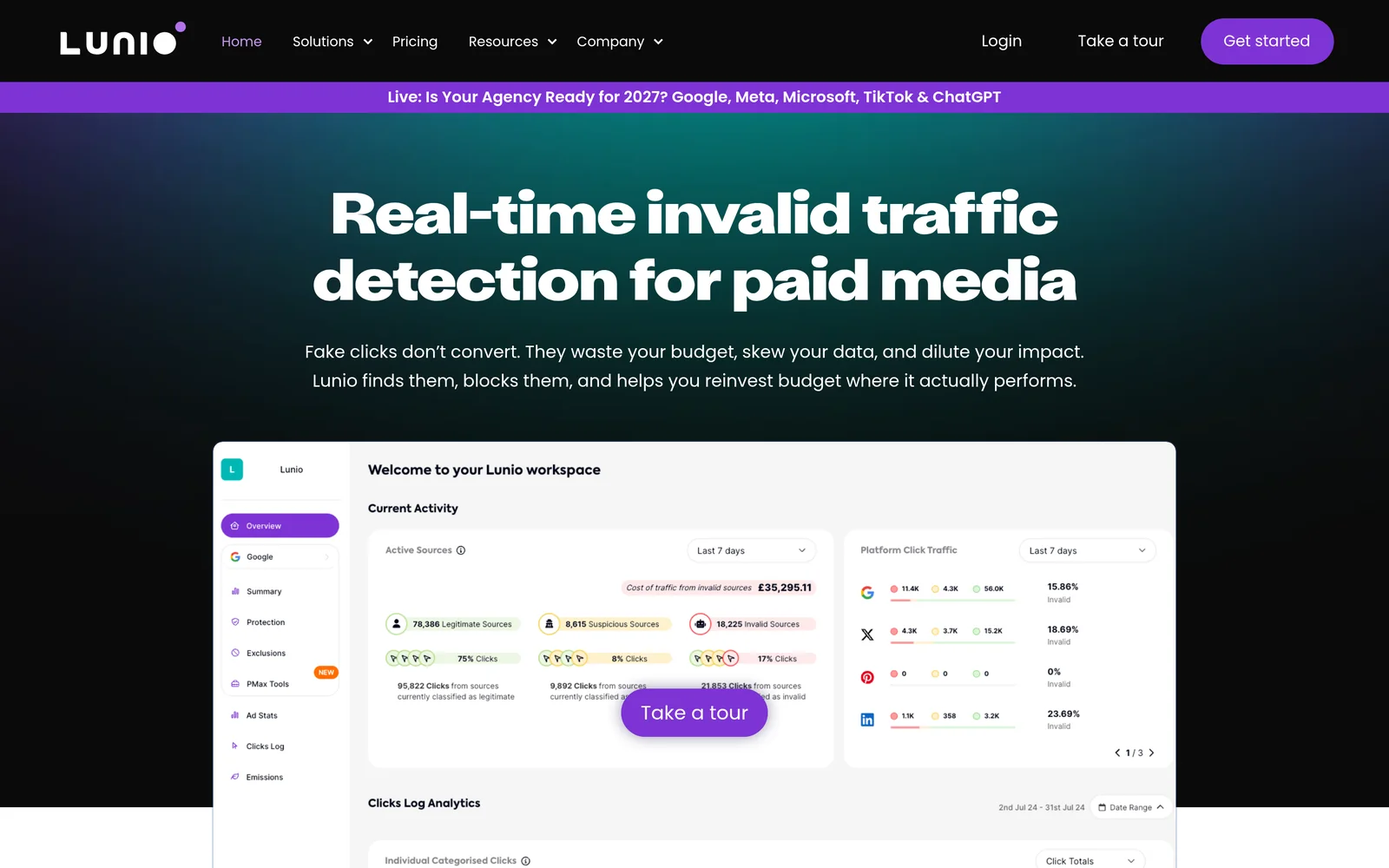
Lunio, formerly PPC Protect, prices by ad spend. Its pricing form asks for “Annual ad spend (minimum $500k)” with bands of $500k to $1m, $1m to $10m and $10m or more, and offers a free 14-day traffic audit to show how much invalid traffic you are paying for (Lunio pricing). It names Google, Bing, X, LinkedIn, Meta, Reddit, TikTok, Yandex and Naver “and many more” as supported channels.
Lunio says it is cookieless and GDPR and CCPA compliant, stores your click stream data as first-party data for two years, and supports multiple workspaces. Its multichannel exclusion means a source flagged on one ad platform is excluded on the others (Lunio). In its own comparison content, Lunio claims a false positive rate below 1% with a recheck process (Lunio).
Where it wins: social channels and scale. If LinkedIn, TikTok and Meta take a large share of your budget, Lunio covers them without buying into a full security suite, and the audit lets you see your own invalid traffic before you sign.
Where it falls short: the $500k floor rules out most small businesses, prices are quote only, and G2 reviewers also report about one month to implement.
Pricing compared
ClickCease is the only one of the three with public prices. CHEQ has no pricing page; cheq.ai/pricing returns a 404 error. Lunio asks for your ad spend and a sales call.
| Plan | Monthly billing | Billed yearly (per month) | Websites | Monthly traffic | HubSpot leads |
|---|---|---|---|---|---|
| ClickCease Starter | $99 | $84 | 1 | 5k | 250 |
| ClickCease Pro | $149 ($104 for first 3 months) | $127 | 5 | 10k to 40k | 500 |
| ClickCease Advanced | $349 ($244 for first 3 months) | $297 | 20 | 50k to 140k | 2.5K |
| CHEQ | Quote only | Quote only | Not published | Aimed at 1M+ annual web visits | Form Guard, quoted |
| Lunio | Quote only | Quote only | Multiple workspaces | Priced by ad spend from $500k a year | Not a lead tool |
Source: ClickCease pricing, Lunio pricing, read November 3, 2026. ClickCease’s 30% intro discount on Pro and Advanced applies to the first three billing cycles for new customers. The yearly option is labelled “Save 15%”.
Two things to check before you sign with ClickCease. First, the plan cards and the comparison table on the same pricing page disagree: the cards give Pro 5 websites and 500 HubSpot leads, while the table lists up to 10 domains and 2,000 leads, and Advanced shows 2.5K leads on the card but 7,000 in the table. Ask which limit applies. Second, if you run past the visits in your plan, ClickCease says detection keeps running and you are charged for actual usage, and it will not upgrade your plan without telling you.
A note on Lunio: a 2024 Reddit thread quoted a Lunio sales reply with a minimum contract price. We could not confirm it on Lunio’s site, so we leave it out. Ask for the figure in writing.
Ad platform coverage
| Ad platform | ClickCease | CHEQ | Lunio |
|---|---|---|---|
| Google Ads (incl. Performance Max) | Yes | Yes | Yes |
| Microsoft (Bing) Ads | Yes | Yes | Yes |
| Meta (Facebook, Instagram) | Yes | Yes | Yes |
| No | Yes | Yes | |
| TikTok | No | Yes | Yes |
| No | Yes | Yes | |
| X (Twitter) | No | Yes | Yes |
| YouTube, Pinterest, Snapchat, Criteo, Outbrain | No | Yes | Not named |
| Search Ads 360, Yahoo, Baidu | No | Yes | Not named |
| Yandex, Naver | No | Not named | Yes |
Coverage taken from each vendor’s own pages: ClickCease pricing, CHEQ integrations and Lunio pricing, read November 3, 2026. “Not named” means the vendor does not list it; Lunio adds “and many more” to its list, so ask.
Coverage on paper is not the same as blocking power. On Google Ads, tools can push IP exclusions straight into your account. On most social platforms there is no IP exclusion, so tools work through audience exclusions and by keeping bad traffic out of the conversion data that platforms learn from. Ask each vendor how it acts on each channel you spend on.
How each tool detects and blocks invalid clicks
All three work the same way at a high level: a script on your site records each paid visit, the vendor scores it, and sources judged invalid are blocked or excluded. The differences are in scope and in what they claim.
| ClickCease | CHEQ | Lunio | |
|---|---|---|---|
| How it is deployed | Tracking code on your site | Lightweight site-wide tag via GTM, Tealium or Adobe Launch | Tracking tag, cookieless |
| Checks per visit (vendor claim) | 2,000+ behavioural tests | Not stated per visit; 6T signals processed a day | Not stated |
| Published accuracy claim | Not stated | 99.2% accuracy; 0.009% false positive rate | Below 1% false positive rate |
| How it blocks | Automatic IP and user exclusions; audience exclusions on Meta and Performance Max | Exclusions across ad platforms plus audience and remarketing clean-up | Exclusions and multichannel exclusion across platforms |
| Forms and leads | Lead Shield for HubSpot | Form Guard for Salesforce, Marketo, HubSpot | No form product |
| Security certification | Not stated on pricing page | SOC 2 Type II | ISO 27001 and SOC 2 (stated on Lunio’s blog) |
Sources: ClickCease, CHEQ, CHEQ homepage, Lunio and Lunio vs CHEQ, read November 3, 2026. These are vendor claims, not independent tests. None of the three publishes a third-party audit of its detection accuracy.
Watch the false positive numbers. Lunio’s own comparison page says CHEQ’s false positive rate is 0.8% (Lunio), which looks like it was worked out from CHEQ’s “99.2% accuracy” claim. CHEQ’s homepage gives a different number, 0.009%. Accuracy and false positive rate are not the same measure, so neither vendor’s marketing figure tells you how many real customers each tool would block on your site. The free trial or audit is the only fair test.
What Google already does for you
Before you pay for any tool, know the baseline. Google says you are not charged for invalid clicks it detects, and if it finds invalid clicks after billing you, “you receive a credit on your next invoice where appropriate and possible” (Google Ads Help).
You can also block IP addresses yourself. Google allows up to 500 IP exclusions per campaign, and account-level IP exclusions now apply across all campaigns, including Performance Max, Demand Gen and YouTube. Campaign-level IP exclusions are not available for Performance Max, video, App, hotel and Smart Display campaigns (Google Ads Help). The 500-address cap is one reason tools manage exclusion lists for you, and IP blocking alone does little against bots on rotating residential IPs.
Practitioners are mixed on how much more a tool adds. In a September 2026 r/PPC thread, one advertiser said ClickCease cut tagged clicks by 15% to 20% while it ran but showed no measurable change in results, and others said audience exclusions worked better (Reddit r/PPC). That is one account’s experience, but it is a good reason to judge any tool on cost per lead or cost per sale during the trial, not on how many clicks it flags.
Pick ClickCease, CHEQ or Lunio if…
- Pick ClickCease if your budget is mainly Google, Meta or Microsoft Ads, you spend well under $500,000 a year, and you want to start today on a 7-day free trial. Agencies get white-label reports and partner discounts.
- Pick CHEQ if you are an enterprise brand with more than 1M web visits a year, run ads on many platforms including LinkedIn, TikTok, Criteo and Outbrain, and want bots kept out of forms, CRM and analytics too, under SOC 2 Type II.
- Pick Lunio if you spend $500,000 or more a year across search and social, want an independent vendor rather than a suite, and want to see a free 14-day audit of your own traffic before you sign.
- Pick none yet if you spend a few thousand dollars a month on Search only. Check Google’s invalid click credits and set account-level IP exclusions first, then trial ClickCease if you still see waste.
If your problem is display and video ad fraud, such as impression fraud and brand safety, rather than paid clicks, these tools are the wrong category. See our ad fraud prevention platforms guide and our IAS vs DoubleVerify vs HUMAN comparison.
Questions to ask in the demo or trial
- Which of my ad platforms do you block on directly, and which do you only report on?
- How do you handle Performance Max and other campaign types where campaign-level IP exclusions are not allowed?
- What is your false positive rate, how is it measured, and can I review every blocked visit?
- Do you send clean conversion data back to the ad platforms, or only block sources?
- What happens when I go over my traffic or ad spend band?
- What does the contract term look like, and can I cancel after the first period?
Cleaner conversion data also improves reporting. If you are tightening measurement at the same time, our guide to marketing attribution software covers the next step, and our consent management platform guide covers Consent Mode, which ClickCease supports.
How we compared these tools
We read ClickCease’s homepage, pricing and agency pages; CHEQ’s homepage, Acquisition, click fraud, integrations and Form Guard pages; and Lunio’s homepage and pricing page on November 3, 2026, and captured each homepage the same day. Google rules come from Google Ads Help. Ratings come from G2, read the same day. We did not run the tools on a live account, so detection claims are reported as vendor claims. Prices are list prices in US dollars before tax.
Frequently asked questions
Is ClickCease owned by CHEQ?
Yes. CHEQ announced it had acquired ClickCease on September 23, 2020. ClickCease is now CHEQ’s self-serve product, and CHEQ’s former self-serve tier, CHEQ Essentials, has been folded into ClickCease.
What is the difference between ClickCease and CHEQ?
ClickCease is a self-serve tool with published plans from $99 a month that protects Google, Meta and Microsoft Ads. CHEQ is the enterprise suite, sold by quote, that covers 15 ad platforms plus forms, analytics and website bot traffic. ClickCease’s pricing page points brands with 1M+ annual web visits to CHEQ.
How much does ClickCease cost?
ClickCease costs $99 a month for Starter, $149 for Pro and $349 for Advanced on monthly billing, with 30% off Pro and Advanced for the first three months. Billed yearly, the plans cost $84, $127 and $297 a month.
How much does Lunio cost?
Lunio does not publish prices. Its pricing form asks for annual ad spend, with a minimum of $500k, and quotes by ad spend band. It offers a free 14-day traffic audit first.
Is Lunio better than CHEQ?
It depends on scope. Lunio focuses on invalid traffic in paid search and social for large budgets and is independent. CHEQ covers more ad platforms and adds form, analytics and website bot protection. On G2, CHEQ is rated 4.8 from 68 reviews and Lunio 4.6 from 148.
Which platforms does ClickCease support?
ClickCease protects Google Ads, Meta Ads and Microsoft Ads on every plan. It also includes WordPress bot protection and Lead Shield for HubSpot forms. It does not cover LinkedIn, TikTok or Reddit ads.
Does Google refund click fraud?
Google says you are not charged for invalid clicks it detects, and if it finds invalid clicks after billing you, you receive a credit on your next invoice where possible. You can also exclude up to 500 IP addresses per campaign, or set account-level IP exclusions.
Do click fraud tools actually work?
They block or exclude traffic the vendor scores as invalid, but results vary by account. Judge a tool on cost per lead or sale during the trial or audit, not on the number of clicks it flags, and ask how false positives are reviewed.