- RCS verified sender status is not a carrier approval you chase yourself. Your messaging provider files the agent registration on your behalf through Google’s RCS Business Messaging infrastructure or carrier-level aggregators.
- The process has four defined stages: brand eligibility check, agent configuration, carrier submission, and verification badge activation. Each stage has a clear owner and a clear deliverable.
- The main variable is time, not complexity. End-to-end verification typically takes days to a few weeks depending on the provider and whether your brand assets meet spec on the first submission.
- Your choice of RCS platform determines how much of this process you own versus how much is abstracted. The right provider handles carrier relationships, compliance checks, and badge configuration.
- US RCS coverage is now broad enough to run production campaigns, but your platform must have direct carrier integrations or a Google-certified aggregator relationship for the verified badge to appear.
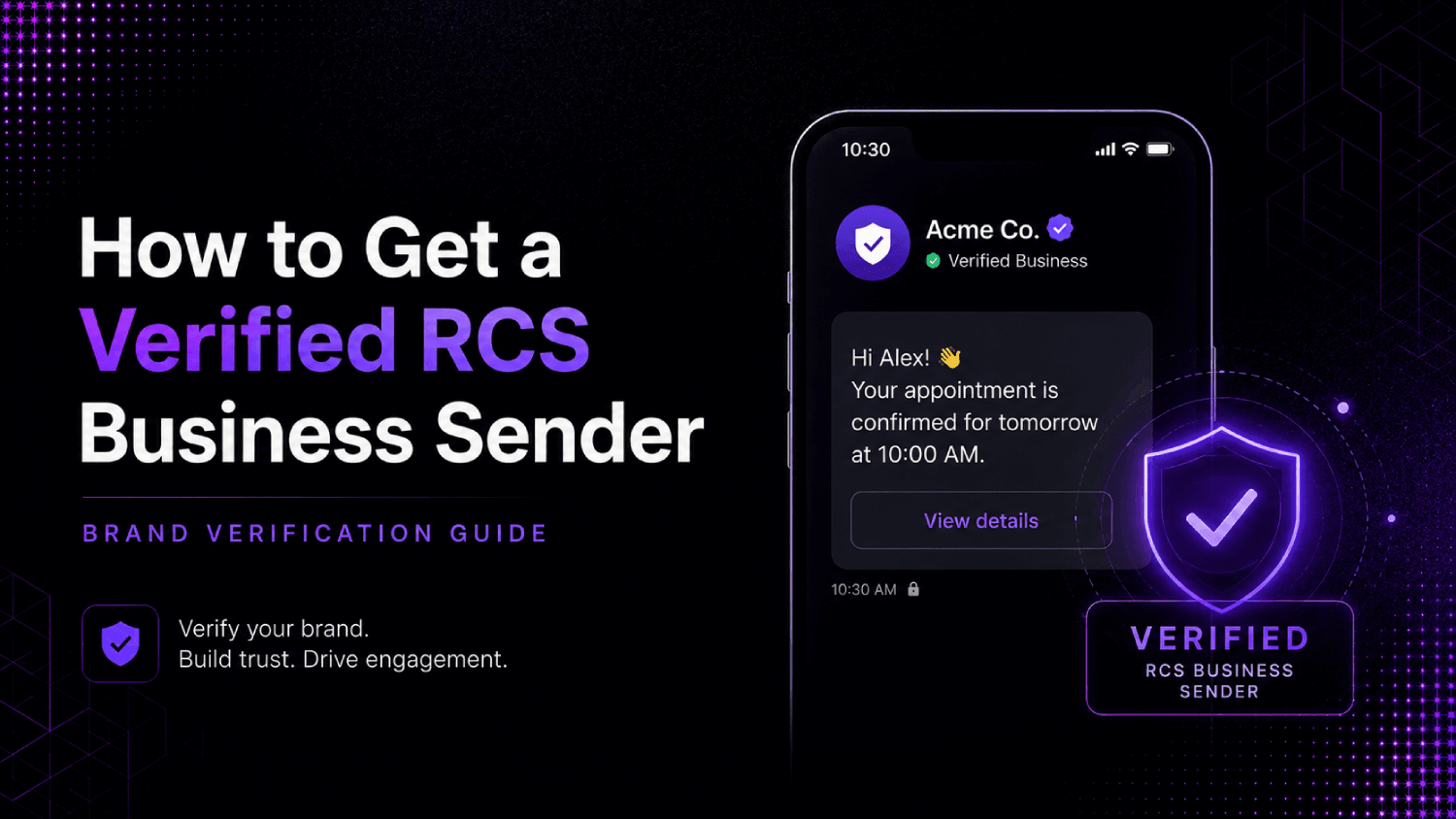
Getting a verified RCS business sender in the US means registering an RCS agent through a Google-certified messaging provider, passing a brand and content review, and receiving a verified badge that appears in recipients’ native messaging apps. The provider submits your brand assets and agent configuration to Google’s RCS Business Messaging platform and participating carriers. Once approved, your messages display your logo, brand name, and a checkmark that signals to recipients the sender is authenticated.
Why RCS Sender Verification Is Not Like 10DLC Registration
Marketers who went through 10DLC registration in 2021 and 2022 remember it as a slow, inconsistently enforced process run through a campaign registry with unclear timelines. RCS verified sender registration is structurally different. It runs through Google’s RCS Business Messaging platform, which means there is a defined technical spec, a documented review process, and a platform-managed badge system rather than a carrier-by-carrier negotiation.
The verified checkmark in RCS is also more visible than anything 10DLC produces. In SMS, verification mostly affects deliverability behind the scenes. In RCS, verification is a front-end UI element: your brand name, logo, and a verification badge render directly in the recipient’s messaging thread. That distinction matters for brand investment decisions.
One thing most guides miss: you cannot self-register as a verified RCS sender in the US today. Google’s RCS Business Messaging API access requires working through a Google-approved partner. Your messaging platform is that partner. If your current SMS vendor does not have this relationship, verified sender status is not available to you through them, regardless of how the campaign is configured.
What Is an RCS Agent, and How Does It Relate to Verified Sender Status?
In RCS terminology, an RCS agent is the business-side entity that sends messages. Think of it as the RCS equivalent of a phone number, except it carries brand metadata: display name, logo URL, brand color, description, and contact information. The agent is what gets verified.
When your provider registers an agent for your brand, they are submitting a configuration file to Google that links your business identity to a sending entity. Google and the relevant carriers review that configuration. If it passes, the agent receives a verified status, and every message sent through that agent displays the verification badge to eligible recipients.
A single brand can operate multiple agents if the use cases are distinct enough to warrant separation, for example, a transactional agent for order updates and a separate marketing agent for promotional campaigns. Some brands run them on different phone numbers; others use the same number with agent-level routing. Your provider’s architecture determines which setup is available.
The Four-Stage RCS Agent Registration Process
The following stages describe the standard path to verified sender status in the US. Timelines vary by provider, but the sequence is consistent across Google-certified partners.
Stage 1: Brand Eligibility Review
Before any technical configuration happens, your provider checks whether your business qualifies. This means verifying that your brand operates in an approved industry category, has a real web presence, and does not fall into a restricted content category (gambling, cannabis, payday lending, and certain financial products face elevated scrutiny or outright exclusion). The provider typically runs this check using your website, business registration information, and a brief intake form.
This stage is where most delays originate, not because the review is slow, but because brands submit incomplete or inconsistent information. Your business name on the registration must match the name on your website, your Google Business Profile if you have one, and any existing carrier records. Mismatches trigger a secondary review cycle.
Stage 2: Agent Configuration and Brand Asset Preparation
Your provider builds the agent profile using assets you supply. Each item on this list is specific, and missing or non-compliant assets are the most common reason for first-pass rejections:
- Brand logo in a square format, typically 224×224 pixels at minimum, PNG preferred
- Brand hero image (horizontal banner) for the agent detail card
- Display name, which must match your registered business name
- Short description (140 characters or fewer) of the messaging use case
- Privacy policy URL and terms of service URL
- Contact phone number and email address
- Color hex code for brand theming
Asset quality at this stage directly affects first-pass approval rate. Logos with transparent backgrounds that do not render cleanly on both light and dark mode, or hero images that contain text violating Google’s content policies, are common rejection reasons. Prepare final-format assets before your provider begins the submission, not after.
Stage 3: Carrier Submission and Technical Review
The provider submits the agent configuration through the RCS Business Messaging API to Google, which routes the review to participating US carriers. In the US, T-Mobile, AT&T, and Verizon have all deployed RCS with business messaging support, though coverage and feature parity vary. Google acts as the aggregator layer that translates a single agent submission into carrier-level enablement.
During this stage, Google’s team reviews the agent for policy compliance, and carriers may conduct their own checks on the sending profile. The provider handles all communication with these parties. Your involvement is limited to responding to any information requests the provider escalates to you, usually requests for additional business documentation or clarification on the stated use case.
Stage 4: Verification Badge Activation and Testing
Once the agent is approved, your provider activates it and runs a test send to confirm the verified badge renders correctly across device types. The badge appears as a checkmark next to the brand name in the messaging thread header. On Android devices running Google Messages (the default RCS client on most Android handsets in the US), this is visible immediately upon message receipt. iOS RCS support, added in iOS 18, displays RCS messages but badge rendering behavior differs depending on carrier and Apple’s RCS implementation.
Before going live, send test messages to physical devices on each major US carrier to confirm badge display, logo rendering, and fallback behavior for recipients not yet on an RCS-capable device or plan.
The AboutMartech RCS Verification Readiness Checklist
Run through this before handing assets to your provider. Each item maps to a documented rejection reason in Google’s agent review process.
| Readiness Item | What to Check | Common Failure Point |
|---|---|---|
| Business name consistency | Name matches across website, registration docs, and Google Business Profile | Legal entity name vs. DBA mismatch |
| Industry eligibility | Not on Google’s restricted content category list | Financial products, supplements, and political content face extra review |
| Logo format | Square PNG, 224x224px minimum, no transparency issues on dark backgrounds | Logo with white background visible only on dark mode |
| Hero image | Horizontal banner, no text-heavy overlays, policy-compliant imagery | Promotional copy in the image (price claims, urgency language) |
| Privacy policy URL | Live URL, HTTPS, mentions SMS/messaging data specifically | Generic privacy page that does not reference messaging |
| Use case description | Accurate, specific, matches actual message content | Vague descriptions like “customer communications” without specifics |
| Opted-in contact list | Only send to recipients who have consented to RCS business messages | Importing SMS lists without RCS-specific consent |
Which RCS Platforms Handle Verified Sender Registration in the US?
Not every SMS or messaging platform has built the carrier relationships and API integrations required to file RCS agent registrations. Platforms that do typically fall into one of two categories: those with a direct Google RCS Business Messaging partnership, and those that route through an aggregator (a company with Google certification that handles the carrier-side submission on the platform’s behalf).
The distinction matters because aggregator-routed submissions add a layer between your brand and the approval process. Response times and information relay can be slower, and some aggregators have higher baseline rejection rates due to volume and less thorough pre-screening. Platforms with direct Google relationships tend to have clearer timelines and more control over submission quality.
For a detailed comparison of platforms that support RCS with verified sender and branding, the best RCS business messaging platforms for US teams article covers the major options with specifics on carrier coverage, agent registration support, and pricing structure. That article is the logical next step from this guide.
Providers worth researching include Sinch, Twilio, Bandwidth, Infobip, and Attentive for retail and DTC use cases. Each has different strengths around registration support, throughput, and the degree to which they manage the verification process on your behalf versus requiring you to own more of it directly.
How Long Does RCS Brand Verification Actually Take?
The honest answer: it varies by provider and submission quality, and any vendor that promises a specific day count without qualifying those conditions is overstating their control over the process. Google’s review is not instantaneous, and carrier-level propagation adds additional time after Google approves the agent.
A realistic range for a clean first submission through a provider with a direct Google relationship is one to three weeks. Submissions that require back-and-forth for additional documentation or asset revisions can stretch to four to six weeks. Providers routing through aggregators may have longer timelines depending on aggregator queue volume.
The variable you actually control is submission quality. Brands that prepare compliant assets, accurate business information, and a specific use case description on the first pass move through review faster than brands that treat the intake form as an afterthought.
What Happens to Recipients Without RCS-Capable Devices?
RCS messages fall back to SMS automatically when a recipient’s device, carrier, or plan does not support RCS. This fallback is handled at the platform level, not by the brand. The verified badge and rich media elements do not render in fallback SMS, and the message appears as a standard text. Your platform should be able to report on what percentage of a given send was delivered as RCS versus SMS, which affects how you measure campaign performance.
For marketing operations teams tracking engagement across channels, this RCS-to-SMS fallback rate is a meaningful metric. A high fallback rate on a list you expected to be largely Android-based usually indicates carrier RCS enablement gaps or outdated device registrations. Monitoring this at the segment level helps identify which audiences are genuinely RCS-reachable before you invest in rich content production for a campaign. If your attribution setup does not already account for channel-level message delivery distinctions, the section on how different messaging channels perform against each other on revenue metrics is worth reviewing before you scale RCS sends.
Does Verified Sender Status Affect Deliverability?
In RCS, verified sender status affects display trust more than it affects technical deliverability. The message reaches the device through carrier routing whether or not the agent is verified. What verification changes is how the message appears: unverified senders display only a phone number, while verified senders display the brand name, logo, and badge. Recipients are significantly more likely to engage with a branded, verified sender than an unknown number.
That said, unverified RCS agents are increasingly likely to face friction as carriers update their business messaging policies. Google’s documentation indicates that certain RCS features, including rich card carousels and suggested action buttons, are only available to verified agents. If you plan to use RCS for anything beyond plain-text messages, verification is a prerequisite, not an optional add-on.
For teams that also run SMS campaigns in parallel with RCS, understanding how compliance affects deliverability at the carrier level is useful context. The TCPA and 10DLC compliance rules for SMS marketing piece covers the US regulatory framework that applies to both channels.
Frequently Asked Questions
Can I register as an RCS verified sender without a messaging platform?
Direct API access to Google’s RCS Business Messaging infrastructure requires being a Google-approved partner or working through one. Brands cannot self-register as verified senders without going through a certified provider. If you have significant engineering resources and want to build directly, Google does provide a path through their partner program, but the approval process for partner status is separate from agent registration and substantially more involved.
Do I need separate RCS agent registrations for each US carrier?
No. When your provider submits an agent through Google’s RCS Business Messaging platform, Google handles the carrier-side distribution to participating US carriers. You do not file separately with T-Mobile, AT&T, and Verizon. The caveat is that carrier RCS feature support varies, so rich media elements that work on one carrier’s network may not render identically on another.
What is the difference between an RCS agent and a verified sender badge?
An RCS agent is the technical entity that sends messages, including its configuration, phone number or short code, and brand metadata. The verified sender badge is the visual indicator that appears in the recipient’s messaging app once that agent has passed Google’s and carriers’ review process. Every verified sender has an agent, but not every agent is verified. An unverified agent can still send RCS messages; it just does not display brand verification signals to recipients.
Which industries are restricted from RCS verified sender registration?
Google’s RCS Business Messaging content policies restrict or prohibit agents from industries including cannabis and CBD, payday and high-interest lending, certain financial services, adult content, gambling, and politically sensitive content. The specific list is subject to policy updates, so check Google’s current RCS Business Messaging policy documentation and confirm with your provider during the eligibility check stage before investing in asset preparation.
Does RCS verified sender status expire?
Agent verification does not expire on a fixed schedule, but Google and carriers can revoke verified status if the agent violates content policies, the business behind the agent undergoes significant changes, or the sending patterns associated with the agent generate complaint rates above acceptable thresholds. Keeping your brand information current and your messaging content within the approved use case description is the standard maintenance requirement.
How does RCS agent registration relate to 10DLC registration for SMS?
They are separate registration systems for separate channels. 10DLC registration governs SMS and MMS traffic in the US and runs through The Campaign Registry. RCS agent registration runs through Google’s RCS Business Messaging platform. A brand running both SMS and RCS campaigns needs both registrations, and they do not share a common application process. Some providers offer both as part of their onboarding, but the underlying submissions go to different systems.
What brand assets does Google require for RCS agent registration?
The standard required assets include a square brand logo, a horizontal hero image, a display name matching the registered business name, a short use case description, a privacy policy URL that references messaging, contact information for the agent, and a brand color hex code. Optional elements include suggested reply chips, action button configurations, and rich card templates, but these are configured after the agent is approved, not as part of the initial registration.
Can I use RCS for both marketing messages and transactional messages with the same verified sender?
You can, but many brands separate them into distinct agents. A single agent handling both promotional and transactional traffic creates use case description problems during registration (you have to characterize the agent’s purpose) and makes it harder to manage opt-out handling cleanly. Running separate agents lets you optimize content, timing, and audience segments independently, and gives you cleaner performance data by use case. Your provider can advise on whether your volume justifies the additional configuration overhead of two agents.
Conclusion
RCS verified sender registration is procedural, not mysterious. The steps are documented, the requirements are specific, and the main source of delay is brand-side preparation quality rather than opaque carrier decision-making. Brands that approach registration as a checklist exercise, assemble compliant assets before starting the process, and work with a provider that has direct Google certification move through it without significant friction.
The provider decision is the one that actually matters most upstream of all of this. A platform with a direct Google RCS Business Messaging relationship and an established agent registration workflow handles the carrier communication, manages the review queue, and flags problems before they become rejections. A platform that routes through an aggregator adds intermediaries and timeline uncertainty. That selection is worth evaluating carefully before you invest time in asset preparation for any specific partner.
Once your agent is verified and live, the next question is how to use it. Rich card templates, suggested action carousels, and verified sender branding combine to make RCS substantively different from SMS as a creative canvas, and that changes how campaigns should be structured, measured, and connected to the rest of your messaging stack. That is a separate topic, but the RCS platform comparison is the right place to start evaluating which provider’s capabilities match your actual use case.