TLDR
- Chili Piper starts at $15,000 per year according to its public pricing page, making it a hard sell for teams under 20 reps who only need inbound routing and booking.
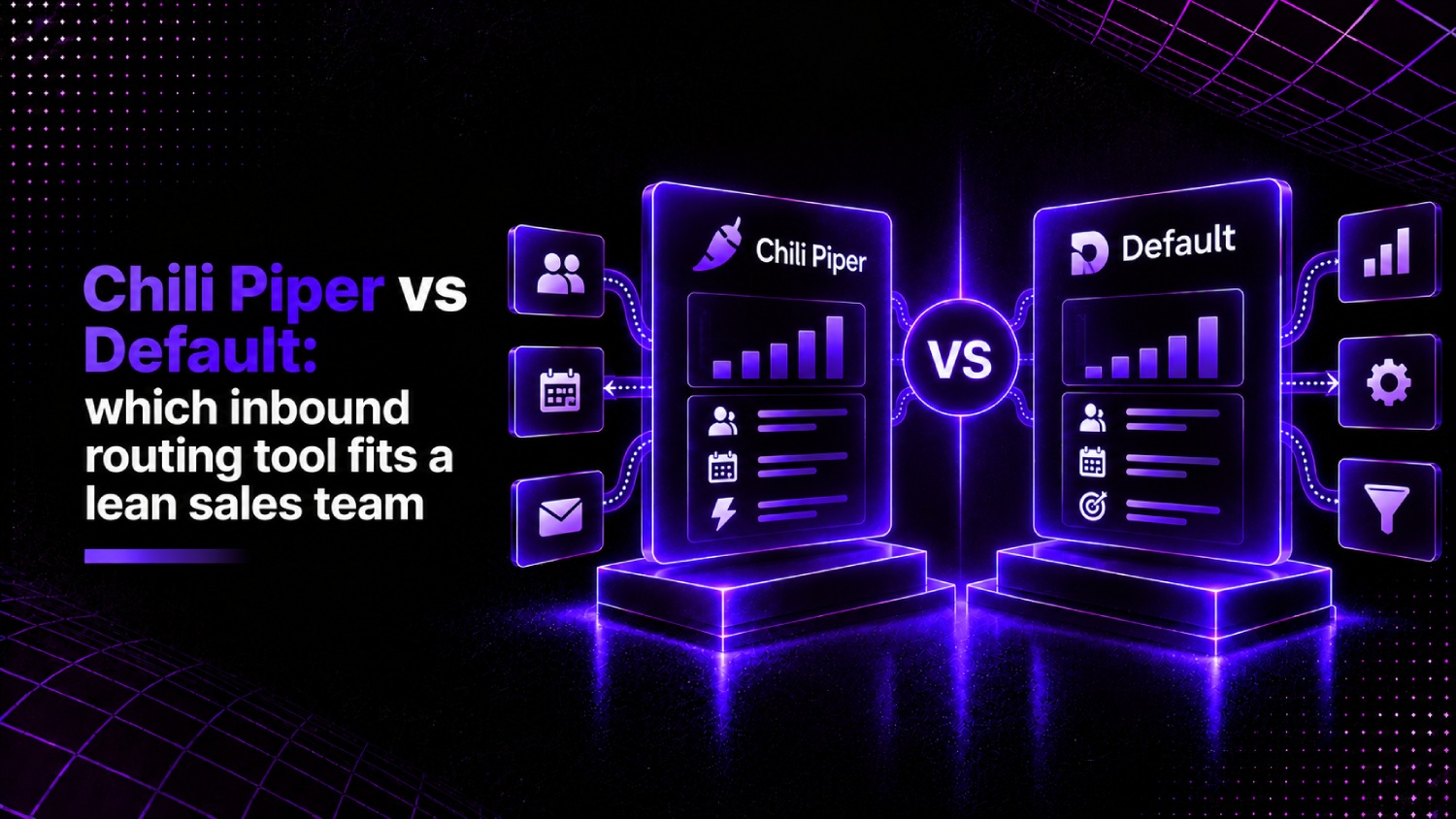
- Default positions itself as a full inbound revenue infrastructure layer, combining form routing, scheduling, enrichment, and handoff in one workflow builder, at a lower entry price point.
- For HubSpot-native teams with a lean sales floor, Default cuts setup time significantly because its workflow logic maps directly to HubSpot objects without middleware.
- Chili Piper carries more brand recognition and deeper Salesforce integrations, making it the safer choice for complex enterprise routing trees with many rep assignment rules.
- The right pick comes down to one variable: how many routing conditions your team actually runs. Fewer than a dozen, Default wins on cost and speed. More than that, Chili Piper earns its price.
For lean B2B sales teams evaluating the Chili Piper vs Default decision, Default is the stronger starting point if you run HubSpot, have fewer than 20 reps, and want routing plus scheduling configured in under a week. Chili Piper is worth the higher cost when you need enterprise-grade Salesforce routing, complex assignment logic across territories or segments, and a vendor with a longer enterprise track record behind the contract.
Why Most Teams Assume Chili Piper and What That Assumption Costs
Chili Piper built its brand during a window when “instant booking from your demo form” was a novel idea. That window is closed. The concept is table stakes now, and several alternatives have caught up on the core mechanic while competing on price and setup time. Yet Chili Piper still shows up first in most inbound routing conversations, partly because it was first and partly because it markets aggressively.
The assumption costs real money. At $15,000 per year as the entry point listed on Chili Piper’s public pricing page, a 10-person sales team pays roughly $1,500 per rep annually before they have a single routing rule live. Default does not publish a flat starting price in the same way, but buyers who have switched report materially lower costs at similar feature breadth, particularly at the lower end of team size.
This article uses what we call the Routing Complexity Threshold to frame the comparison: a simple diagnostic that maps your actual routing conditions, CRM, and team size to one of two buying profiles. The framework does not require a demo call to apply.
What Does Default Actually Do That Chili Piper Does Not?
Both tools convert a form fill into a booked meeting, route the lead to the right rep, and push data back to your CRM. The meaningful difference is the layer each tool operates on.
Chili Piper is a scheduling and routing point solution. It sits on top of your CRM, intercepts form submissions, applies routing logic, and serves a calendar. Its integrations with Salesforce are deep, and its Distro product handles lead distribution with territory and round-robin logic. It does not manage the pre-routing enrichment step natively; that typically requires a separate tool like Clearbit or 6sense feeding data in before Chili Piper makes a routing decision.
Default describes itself as inbound revenue infrastructure. Its workflow builder handles enrichment, scoring, routing, scheduling, and handoff notifications in a single canvas. According to Default’s own product documentation, real-time enrichment runs inside the routing workflow rather than as a prerequisite step. That matters for lean teams because it removes one integration to maintain and one vendor to pay. For teams comparing the two on HubSpot, this is the decisive architectural difference: Default routes on enriched data without requiring a separate enrichment contract.
How Does Chili Piper Pricing Actually Break Down?
Chili Piper’s public pricing page lists plans starting at $15,000 per year. That entry-level figure covers their Inbound product for teams that need form routing and calendar booking. Additional products, including Distro for lead distribution and their AI-assisted features, sit on top of that base. Enterprise configurations are quote-based, and deals at that level typically include implementation fees and minimum seat commitments.
Default’s pricing is not published in a flat tier format on its public site. Buyers evaluating Default should request a quote directly, but feedback from teams who have switched from Chili Piper, reported consistently across Reddit threads and G2 reviews, suggests the cost delta is meaningful at small team sizes. The math changes as team size grows: Chili Piper’s per-seat structure becomes more competitive at larger rep counts where the base cost amortizes across more users.
For teams researching the broader inbound routing category, cost-per-routed-lead is a more honest metric than sticker price, because it accounts for routing volume relative to spend. Our roundup of RevOps tools for revenue operations teams covers how routing tools sit within the wider revenue stack.
Which CRM Does Each Tool Actually Fit?
Chili Piper’s deepest integrations are with Salesforce. Its lead-to-account matching, territory-based routing, and Salesforce object handling are mature and widely documented. HubSpot support exists, but Reddit threads and G2 review data consistently flag it as a secondary priority for Chili Piper’s product team. Teams running complex Salesforce routing with custom objects and multiple assignment queues will find Chili Piper’s Salesforce layer more complete.
Default built its HubSpot integration as a first-class feature. Routing logic maps to HubSpot contact and deal properties natively, and handoff notifications trigger through HubSpot workflows. For a team running HubSpot as their system of record, Default’s architecture reduces the translation layer that causes misrouted leads in Chili Piper’s HubSpot setup. If you are evaluating broader RevOps tooling alongside a routing decision, CRM alignment is the single most important compatibility check before any routing tool evaluation.
CRM and Feature Comparison
| Capability | Chili Piper | Default |
|---|---|---|
| Salesforce integration depth | Mature, widely used | Supported, less documented |
| HubSpot integration depth | Available, secondary priority | First-class, native object mapping |
| Real-time enrichment in routing | Requires separate tool (e.g. Clearbit) | Native, inside workflow canvas |
| Round-robin routing | Yes, via Distro product | Yes, native |
| Territory-based routing | Yes, enterprise grade | Yes, lighter configuration |
| Scheduling (calendar booking) | Yes, core product | Yes, core product |
| Slack / notification alerts | Yes | Yes, cited as cleaner |
| Public entry-level pricing | $15,000/year | Quote-based |
| Setup complexity | Moderate to high | Low to moderate for HubSpot teams |
What Is the Routing Complexity Threshold and Which Side Are You On?
The Routing Complexity Threshold is a three-variable diagnostic to apply before booking any vendor demo. It forces the evaluation into concrete terms instead of feature-sheet comparisons.
Variable 1: Routing conditions. Count the distinct if-then rules your routing requires. Industry, company size, territory, rep availability, account ownership, deal stage , each one is a condition. Fewer than 12 conditions is a lean routing model. More than 12 is complex routing.
Variable 2: CRM of record. HubSpot as primary CRM points toward Default. Salesforce as primary CRM points toward Chili Piper. Both tools work with both CRMs, but the integration quality gap is real enough to be a decision factor.
Variable 3: Team size and budget ceiling. Under 20 reps and under $10,000 annual routing budget: Default’s cost structure fits better. Over 20 reps with Salesforce and complex territory logic: Chili Piper’s pricing becomes more defensible because the per-seat cost distributes and the integration depth earns its margin.
Consider a SaaS startup with 8 SDRs, HubSpot as CRM, and routing logic based on company size, industry, and rep availability. That is three routing conditions, one CRM, and a small team. Every variable in the Routing Complexity Threshold points to Default. The $15,000 floor for Chili Piper is paying for infrastructure this team will not use for at least two years.
Is Default Easier to Set Up Than Chili Piper?
Setup speed is one area where user feedback is consistent. Teams migrating from Chili Piper to Default report getting routing live faster, primarily because Default’s workflow canvas lets you build enrichment and routing logic together rather than connecting separate systems. Default’s own positioning and reviews in Reddit threads and on G2 corroborate this: Default is cited as significantly easier to configure for HubSpot teams with standard routing needs.
Chili Piper’s setup complexity comes from its modular product structure. Inbound, Distro, and additional features are separate products that require separate configuration. For a lean team without a dedicated RevOps hire, that modular architecture means more implementation time and more risk of misconfigured rules causing misrouted leads. A single misrouted inbound lead from a high-intent form fill is not a minor issue when your sales cycle depends on speed-to-lead.
For teams without dedicated operations staff, Default’s consolidated workflow builder is the more forgiving choice. For teams with a RevOps engineer who already lives in Salesforce, Chili Piper’s modularity is manageable and the Salesforce integration depth justifies the setup investment. Our roundup of lead-to-account matching software for Salesforce teams covers the broader routing considerations if Salesforce is your CRM of record.
How Do Chili Piper and Default Handle Lead-to-Account Matching?
Lead-to-account matching determines whether an inbound lead from a known account gets routed to the account owner or treated as a net-new lead. It is where most teams quietly lose revenue through misrouting.
Chili Piper handles lead-to-account matching through its Distro product, which maps inbound leads against existing Salesforce account records and routes accordingly. The matching logic is configurable, and enterprise customers can apply fuzzy matching rules for domain and company name variants. This is where Chili Piper earns its enterprise positioning: complex account structures with multiple subsidiaries or domain variants require exactly this kind of matching depth.
Default’s approach to lead-to-account matching is more straightforward and works well for teams with clean CRM data and simpler account structures. For a startup where most inbound leads are genuinely new accounts rather than return contacts from existing customers, Default’s lighter matching logic does not create problems. As the account base grows and historical data accumulates, the matching requirements typically grow with it, and that is the moment when Chili Piper’s depth starts to justify its cost even for HubSpot teams.
Which Tool Fits a Startup on HubSpot vs an Enterprise on Salesforce?
For a startup on HubSpot with a lean sales team, Default is the cleaner answer. Lower entry cost, faster setup, native enrichment in the routing workflow, and first-class HubSpot object handling. The tradeoff is that Default carries less enterprise credibility in a procurement review, which matters if your sales team is selling to buyers who want to see recognizable vendor names in your stack.
For an enterprise team on Salesforce with territory-based routing, named accounts, and multiple routing conditions, Chili Piper’s depth covers requirements that Default’s current product does not match in every configuration. The $15,000 entry price looks different when the alternative is building custom routing logic inside Salesforce natively, which requires RevOps engineering time that costs more than the tool.
There is a middle band: mid-market companies on HubSpot with 20 to 50 reps who have outgrown simple routing but have not yet justified Salesforce. This segment is where the comparison is genuinely close and where a demo of both tools is worth the time investment. Default’s roadmap appears to be targeting exactly this tier, which is partly why it shows up frequently in Reddit threads and G2 discussions as the Chili Piper alternative of choice.
Teams evaluating Salesforce-native routing as a parallel consideration will find our comparison of LeanData vs Chili Piper relevant, since LeanData competes directly on Salesforce lead-to-account matching depth.
What Are the Real Complaints About Each Tool?
Default’s own positioning and third-party reviews flag specific friction points in Chili Piper: tricky workflow configuration, no real-time enrichment, misrouted leads, and poor Slack alert quality. These criticisms appear consistently in Reddit threads and G2 review data from teams that have run both tools.
Chili Piper’s complaints tend to cluster around pricing surprise, support responsiveness for mid-market customers, and the complexity of managing multiple products (Inbound and Distro) as separate configurations. Teams that bought Chili Piper for the brand and then discovered the implementation complexity are the primary source of churn toward Default.
Default’s complaints are less documented publicly, which reflects both its younger market position and smaller installed base. Teams that have switched from Chili Piper to Default report high satisfaction at four months, per G2 reviews and Reddit threads in the routing tool category. The open question is how Default performs at enterprise scale and complex Salesforce configurations, which remain less tested terrain.
Frequently Asked Questions
How much does Chili Piper cost?
According to Chili Piper’s public pricing page, plans start at $15,000 per year. That entry-level price covers the Inbound product for form routing and calendar booking. Additional products such as Distro for lead distribution carry separate costs. Enterprise configurations are quote-based and typically include implementation fees and minimum seat commitments beyond the base price.
Is Default cheaper than Chili Piper for small sales teams?
Default does not publish flat-tier pricing publicly, so a direct number-to-number comparison requires a quote. Feedback from teams that have migrated from Chili Piper to Default, reported across Reddit threads and G2 reviews, consistently describes the cost as materially lower for teams under 20 reps. The gap narrows as team size grows and Chili Piper’s per-seat cost amortizes across more users with complex routing needs.
Does Default work with HubSpot better than Chili Piper?
Yes, in practice. Default built its HubSpot integration as a primary use case, mapping routing logic directly to HubSpot contact and deal properties without a middleware layer. Chili Piper supports HubSpot but the integration is widely reported as a secondary development priority in G2 reviews and Reddit discussions. For teams running HubSpot as their system of record, Default’s native architecture reduces misconfiguration risk and cuts setup time compared to Chili Piper’s HubSpot implementation.
What does lead routing mean in this context?
Lead routing is the process of automatically assigning an inbound lead, demo request, or form submission to the correct sales rep based on defined rules, such as company size, industry, geography, or account ownership. Tools like Chili Piper and Default intercept form submissions after they occur, apply routing logic, and serve a calendar booking or push the lead to a CRM queue. Without automated routing, leads sit unassigned and speed-to-lead drops.
Can Chili Piper handle complex Salesforce territory routing?
Yes. Chili Piper’s Distro product is designed for territory-based routing within Salesforce, including lead-to-account matching against existing account records, round-robin assignment within territories, and handling of named accounts and custom Salesforce objects. For enterprise teams with layered territory hierarchies and multiple routing conditions, Chili Piper’s Salesforce depth is one of its clearest competitive advantages over newer entrants including Default.
What is the fastest inbound routing setup for a lean team?
For a lean team on HubSpot with standard routing conditions, fewer than a dozen if-then rules, and no complex territory hierarchy, Default offers the fastest path to a live routing workflow. Its unified workflow canvas handles enrichment, routing logic, and scheduling configuration in one interface, which removes the multi-product configuration complexity that adds setup time in Chili Piper. Teams with a dedicated RevOps hire and Salesforce as the CRM will find Chili Piper’s setup more manageable than it appears at first.
Is Chili Piper worth it for a startup?
At a $15,000 per year entry price, Chili Piper is a difficult investment to justify for a startup with fewer than 15 reps and standard routing needs. The tool was built for scale, and most of its enterprise features go unused by early-stage teams. Startups on HubSpot with straightforward inbound volume get the same business outcome from Default at lower cost and faster setup. Chili Piper makes more sense for startups that are already Salesforce shops or have complex routing from day one.
Which Tool Should You Actually Choose?
Chili Piper is not going away, and for the right team it remains a well-built product. If your sales org runs Salesforce with territory routing, named accounts, and more than a dozen routing conditions, the $15,000 starting price buys real depth. The integration maturity, the Distro product’s matching logic, and the enterprise customer base Chili Piper has accumulated are genuine assets, not just brand recognition.
Default wins for the majority of lean teams asking this question. A startup or mid-market company on HubSpot with fewer than 20 reps and standard inbound routing needs is overpaying and over-configuring if it chooses Chili Piper. Default’s architecture is more aligned to how HubSpot-native teams actually work, the setup is faster, and the cost structure does not require justifying enterprise infrastructure to a CFO who is watching burn.
The Routing Complexity Threshold gives you the answer before you book a single demo. Count your routing conditions, name your CRM, and look at your team size and budget ceiling. If all three variables point to Default, skip the Chili Piper demo entirely. If your Salesforce territory structure and account volume push you past the threshold, Chili Piper earns a serious look. The mistake most lean teams make is conflating brand familiarity with product fit. In inbound routing, those two things have been drifting apart for two years. Teams evaluating the wider category of inbound lead routing alternatives to Chili Piper will find Default consistently near the top of that consideration set.